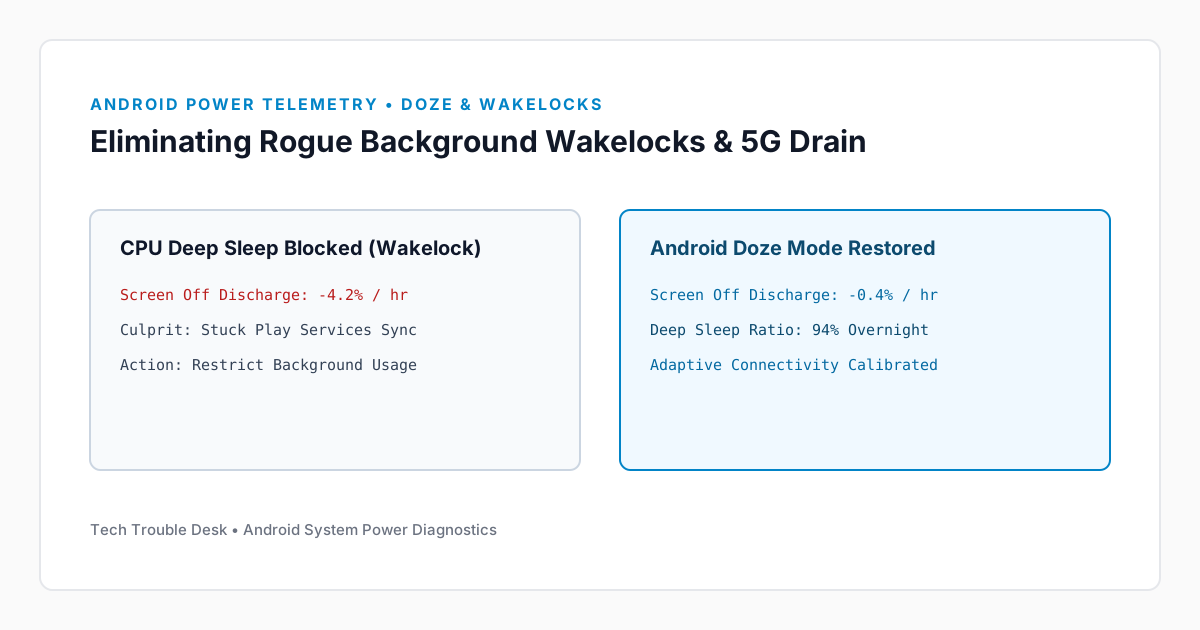
When an Android phone loses 20% or more battery capacity overnight with the screen off, the processor is being prevented from entering Deep Sleep (Doze mode). This is almost always caused by either a partial wakelock held by a background app or continuous cellular modem power amplification in areas with weak 5G coverage.
1. Separate App Usage from System/Modem Drain
Step 1: Inspect Background Time vs. Screen Time
- Open Settings → Battery → Battery usage.
- Examine both View by apps and View by systems.
- Tap any app consuming over 5% battery and compare its Screen time against its Background time.
- If an app shows hours of background activity with minimal screen time, change its battery optimization setting from Optimized to Restricted.
2. Fix Google Play Services Stuck Sync Loops
After an OS or security patch update, Google Play Services can become stuck retrying a corrupted location or backup token, keeping the CPU awake continuously.
Step 2: Clear Play Services Cache Safely
- Navigate to Settings → Apps → See all apps.
- Search for Google Play services.
- Tap Storage & cache → Clear cache (do not tap Clear all data unless you are prepared to re-pair Wear OS watches and Google Wallet cards).
- Restart your phone immediately.